War Thunder Market
Game mechanics
OLD‑WIKI.WARTHUNDER.COM (DEFUNCT)
The Market is a place where players can buy and sell various in-game items. Items are bought and sold using a special currency called Gaijin Coins that can be earned by selling items at the Market or simply purchased. An important feature of the Market is that players buy and sell items without an intermediary, which means that market rules are in force here – buyers and sellers determine supply, demand, and pricing themselves, and items can even run out.

|
Since players buy and sell amongst themselves at the Market, if an identity thief were to steal your account, they could perform transactions that would be impossible to cancel. Therefore, in order to buy and sell items at the Market you need to add extra protection to your account by linking it to two-factor authentication and confirming your email address. |
Getting to the Market
You can open the Market page from the hangar interface by following the path “Store” → “Market” or by opening its page directly in your browser at https://trade.gaijin.net/ You can use the email address and password you use to log into War Thunder to log into the Market. Always check the address on the login page carefully! It should look exactly like this: https://login.gaijin.net/en/.
Items
Tradable items are:
- Vehicle coupons
- Camouflage coupons
- Decal coupons
- Profile picture coupons
- Trophy boxes
- Materials (crafting events)
Additionnaly, you can buy keys for the trophy boxes but those are sold by Gaijin not other players.
Market Interface
The Market screen is divided into three sections:
- Inventory: this is all of the items you have purchased or obtained in the game that you can put up for sale. You can go to any item’s Market page by clicking on it.
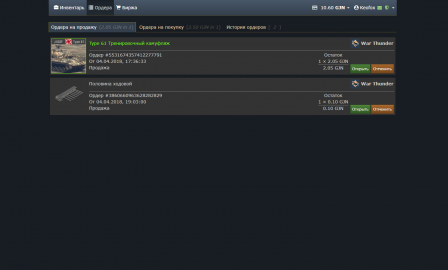
- Offers: this is where the items you have put up for sale are displayed until someone buys them. Your offers to buy are also located in this section – you can create them on an item’s page if its current price doesn’t suit you. This way you can make sure you don’t miss a price drop on the item if there is one. The third menu in this section, “Offer history,” contains records of all the buying and selling transactions you have performed.
- Market: this is where all of the items players have put up for sale at the Market are located. To make it easier to navigate the large number of offers, you can select a sorting method on the right side of the screen and filter certain items out.
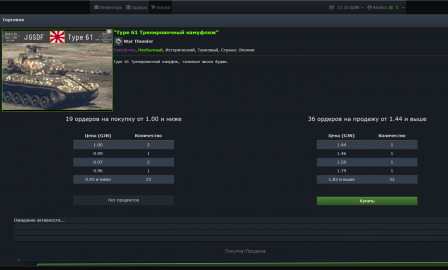
If you click on an item you will be taken to a page containing a more comprehensive description of it, as well as important buying and selling information:
- Offers to buy: requests by other players to purchase this item and the price in GJN they are willing to pay immediately.
- Offer to sell: offers from sellers to sell this item and the price in GJN they are requesting for an immediate sale.
If the seller is offering an item for a price that does not exceed any offers to purchase, the sale will take place immediately.
- Buy/Sell: this is the ratio of demand to supply. A green chart means that the item is available. If the chart is blue, this means there is a deficit of the item.
- Price history: information about the average price this item has sold for on various days and how many units have been sold (when hovering the cursor over the line on the chart).
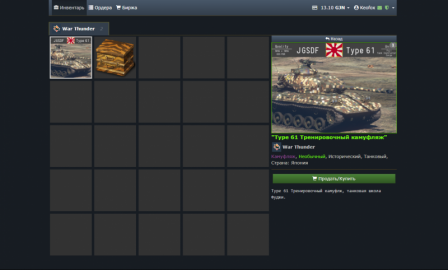
"Inventory" section: your items
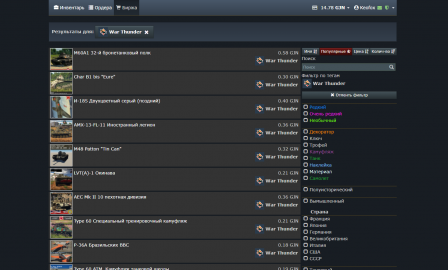
"Market" section: list of items and filter
"Market" section: the item’s page
"Offers" section: items put up for sale and offers to purchase them


Buying and Selling at the Market
Not all in-game items can be bought and sold at the Market, but the ones that can be bought and sold are displayed in the “Inventory” section of the Market and marked with a special icon (G). Select the item you want and press the “Buy/Sell” button to go to the item’s page. Then press the “Sell” button, set the desired price, confirm your acceptance of the User Agreement, and press the “Sell” button again. Your item will be sold instantly if there are offers to buy it for your price or higher. Otherwise it will be put up for sale. You can track and manage your item by going to “Offers” → “Offers to sell.” Once the item is sold, information about this will be stored in the “Offer history” section.
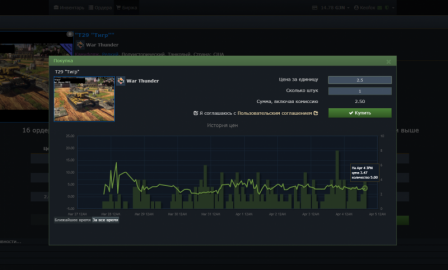
Buying menu: create an offer to buy and set a price
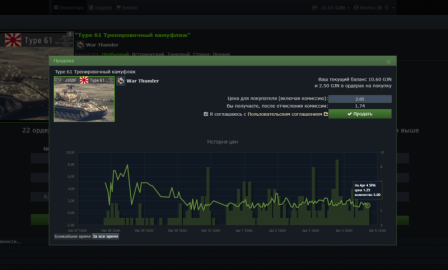
Selling menu: create an offer to sell, set a price, and find information about the fee
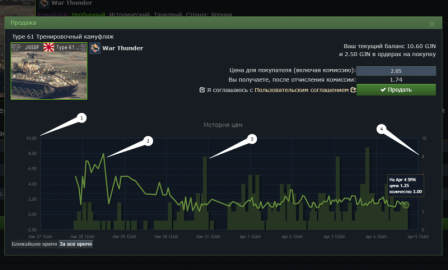
Chart Functions


Chart Functions
- Price gauge
- The item’s average selling price for one hour
- The number of times the item has been purchase in one hour
- The total number of times the item has been purchased
Using items from the Market
All items that can be bought or sold at the Market are displayed in the game and can be used in your War Thunder account. These items can be found in your inventory along with your other items. You can find them by going to “Store” → “Inventory.” Select an item and click on “Use” to use it on your account. Using an item is an irreversible process. Camouflage purchased at the Market is applied to the vehicle and linked to it forever. Coupons are exchanged for vehicles for the player, and not the other way around, and so forth. You can preview the appearance of certain items by selecting “View.” This will allow you to evaluate them before using them. You cannot use identical unique items such as premium vehicles, the same camouflage, etc. in your account (i.e. you can’t use the same item over again). If you try to do this, the game will notify you about it. These items can only be sold at the Market.
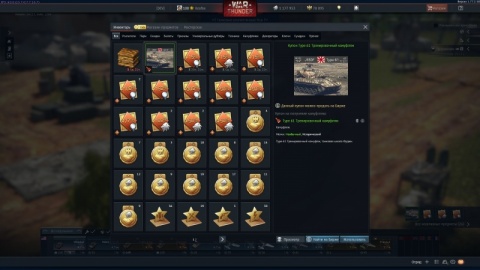
Select an item
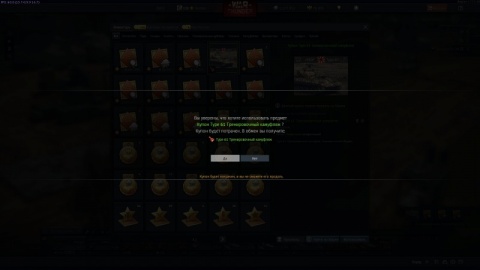
Click on “Use”
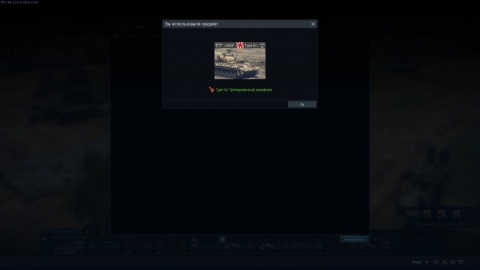
Confirm
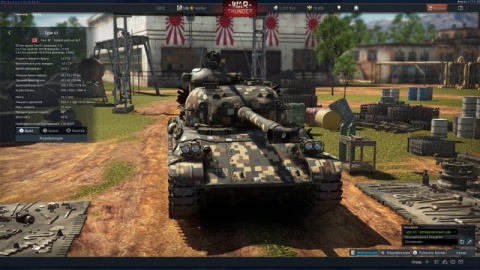
Done!


Buying GJN
The simplest and most convenient way to get an item you want at the Market is to buy Gaijin Coins.
- Click on the wallet icon and select “Add funds.”
- This will take you to a screen where you can select the exact number of GJN you want to buy and your method of payment.
- Once payment is complete the GJN will be added to your Market wallet.

Adding funds to your GJN wallet

Exclusions:
- You cannot buy GJN from a Steam wallet.
- You cannot buy GJN for accounts that are connected to a DMM service.
- The Market is not available at all for PS4, Xbox One, and DMM-connected accounts.
Using GJN at the Gaijin store
GJN earned at the Market or obtained in any other way can be spent on items not only at the Market, but also at the Gaijin Store. For example, you can buy Golden Eagles with GJN. To do this, just select “Pay from GJN balance” as your payment method.
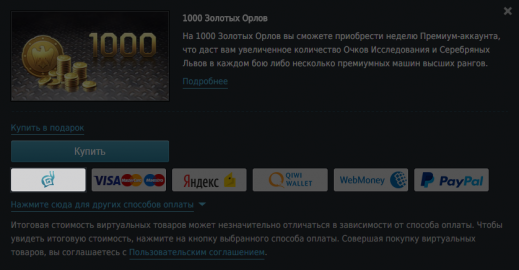
GJN payment button
